让VB程序支持Windows XP界面特效
软件世界
大家都知道,VB6是不支持Windows XP界面特效的,但有一种方法可以解决这个问题(如(图1))。
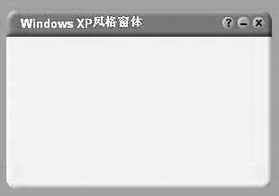
首先写一个xml文件,其内容如下:
processorArchitecture="X86"
name="文件名.exe"
type="win32"
/>
name="Microsoft.Windows.Common-Controls"
version="6.0.0.0"
processorArchitecture="X86"
publicKeyToken="6595b64144ccf1df"
language="*"
/>
将以上内容存为:文件名.exe.manifest,放在程序目录中,如果你在程序中使用了Windows Common Controls 5.0 控件,可以直接运行;如果没有使用的话,选为兼容模式运行即可。
需要说明的是:只有VB标准控件、Windows Common Controls 5.0 控件、Windows Common Controls-2 5.0控件、Windows Common Dialog 6.0控件、Windows Rich Text 6.0控件和Windows Common Controls-3 6.0 控件(CoolBar控件)支持Windows XP界面特效,而且tooltip也会加上阴影。